Collect
Collect every certificate with one link
Send branded upload requests, let customers submit through one link, and every reply lands matched and filed.
verrim.com
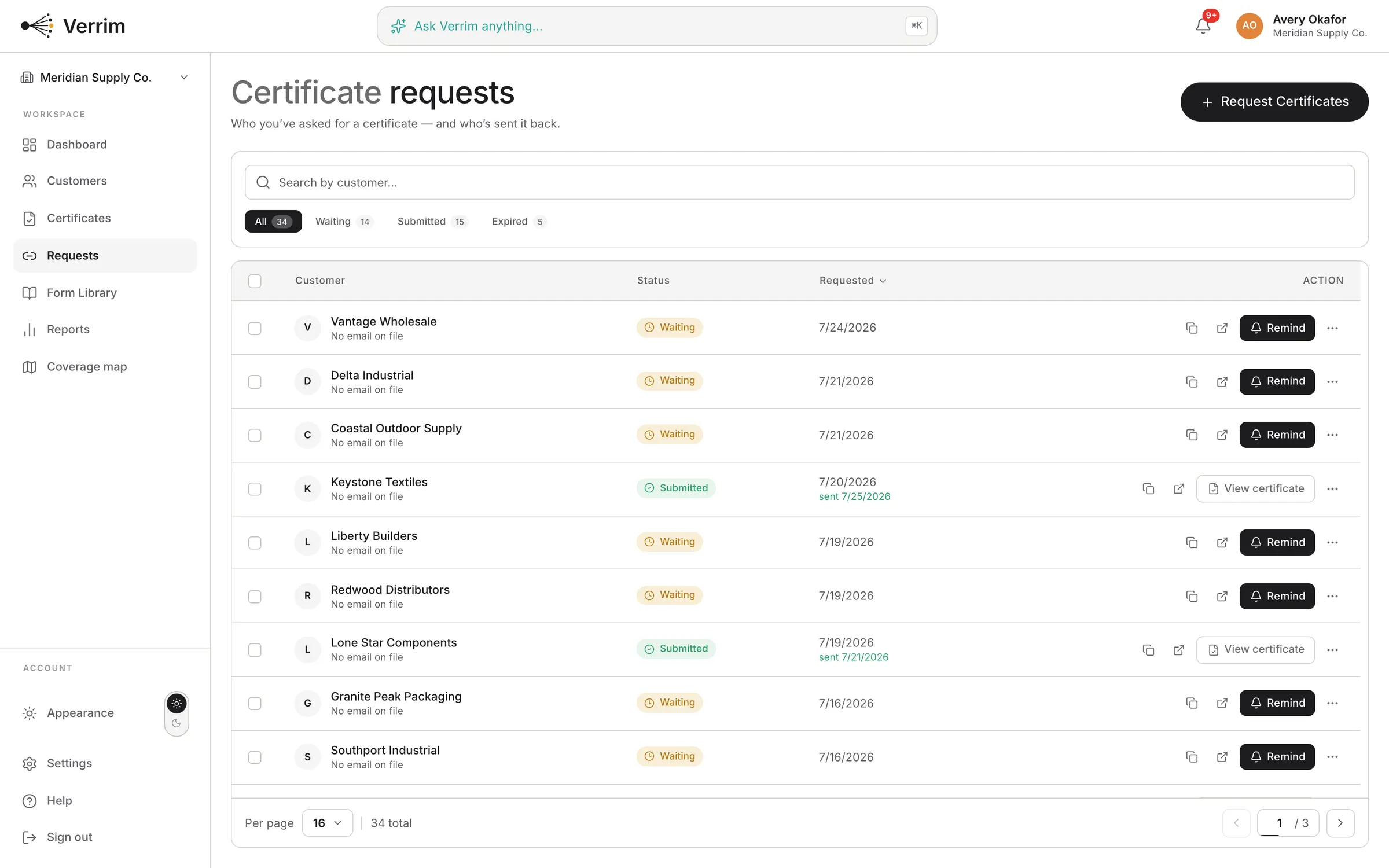
Stop chasing certificates by email
Pick the customers who still owe a certificate, send a branded request, and follow up in a click.
- Shareable upload links, no customer login required
- Target just the customers who still owe a certificate
- Branded to your company name and reply-to
- Send a follow-up reminder when you need one
Certificate requestMissing certificate
AudienceCustomers with no certificate on file
14 customersRequest emailBranded with your company name and reply-to
ReadyFollow-up reminderSend a nudge when you need one
TemplateEvery submission lands clean
Uploads flow straight into Review, matched, deduplicated, and filed against the right account.
- Goes straight to AI Review
- Dedupes against existing customers
- Tax-ID matched to the right account
IntakeLive
New submission · lone-star-supplyMatched by Tax ID 1-75-2846391-2
MatchedNew submission · unknown senderSuggested: Ridgeline Builders
Needs reviewDuplicate detectedSame permit already on file, merged
DedupedAudit-ready
The part an auditor actually asks for
An auditor picks an exempt sale and asks to see the certificate behind it. What you hand over is the document, the permit number, and the date it arrived.
- You can show which link a certificate came in on, and when it landed
- Your Tax ID match files it against the right customer instead of a name that nearly matches
- A permit already on file merges instead of becoming a second copy
- Your activity log keeps every send, reminder and reply
All states plus MTC and SST, each form linked to its official state source.
See the full library- Pick who still owes you oneFilter your customers by what is missing: nothing on file, expired, or expiring inside 30 days.
- Send the requestChoose a template, check the recipient list, send. Your company name and your reply-to are on it.
- Your customer submits through the linkThey complete their state’s form in the browser, or upload a signed PDF or a photo. No login.
- It arrives filed, not in your inboxThe submission goes to Review, gets Tax-ID matched to the right customer, and duplicates merge.
- Do my customers need an account to upload a certificate?
- No. Every request carries a public upload link. Your customer opens it, fills in the right state form or uploads a signed copy, and submits. Nothing to create, no password to forget.
- How long does an upload link stay valid?
- Thirty days from the day you send it. If one lapses before your customer gets to it, send the request again and they get a fresh link.
- Do the reminders send themselves?
- No. You send them. Verrim keeps the Follow-up Reminder template ready and shows you exactly who has not replied, so the nudge is one click — but nothing leaves your account until you click it.
- Will the request look like it came from us?
- Yes. Your company name is on it, replies go to your address, and merge tags drop each customer’s own details into the message. Your customer never sees a Verrim address.
- What happens to a certificate after it arrives?
- It lands in Review. Verrim reads the fields off the document, matches it to the right customer by Tax ID, and merges it if that permit is already on file.
Get started
Create an account and add your first customer.